3D Printing with Gabriel and Urban
Discussed in this episode
Boost this Episode
Send sats directly to the creators. Value for Value.
Plus 1% to Podcast Index, 1% to Boost Bot.
Show Notes
A weekly live show covering all things Freedom Tech with Max, Q and Seth.
GO TO https://watchmanprivacy.com for more information
HELP GET SAMOURAI A PARDON
- SIGN THE PETITION ----> https://www.change.org/p/stand-up-for-freedom-pardon-the-innocent-coders-jailed-for-building-privacy-tools
- DONATE TO THE FAMILIES w/ USD ----> https://www.givesendgo.com/billandkeonne
- DONATE TO THE FAMILIES w/ BTC ----> https://pay.zaprite.com/pl_JpxtkLv95T
- SUPPORT ON SOCIAL MEDIA ---> https://billandkeonne.org/
TO DONATE TO ROMAN'S DEFENSE FUND: https://freeromanstorm.com/donate
VALUE FOR VALUE
Thanks for listening you Ungovernable Misfits, we appreciate your continued support and hope you enjoy the shows.
You can support this episode using your time, talent or treasure.
TIME:
- create fountain clips for the show
- create a meetup
- help boost the signal on social media
TALENT:
- create ungovernable misfit inspired art, animation or music
- design or implement some software that can make the podcast better
- use whatever talents you have to make a contribution to the show!
TREASURE:
- BOOST IT OR STREAM SATS on the Podcasting 2.0 apps @ https://podcastapps.com
- DONATE via Monero @ https://xmrchat.com/ungovernable
- BUY SOME STICKERS @ https://ungovernable.network/shop/
FOUNDATION
https://foundation.xyz/ungovernable
Foundation builds Bitcoin-centric tools that empower you to reclaim your digital sovereignty.
As a sovereign computing company, Foundation is the antithesis of today’s tech conglomerates. Returning to cypherpunk principles, they build open source technology that “can’t be evil”.
Thank you Foundation Devices for sponsoring the show!
Use code: Ungovernable for $10 off of your purchase
CAKE WALLET
Cake Wallet is an open-source, non-custodial wallet available on Android, iOS, macOS, and Linux.
Features:
- Built-in Exchange: Swap easily between Bitcoin and Monero.
- User-Friendly: Simple interface for all users.
Monero Users:
- Batch Transactions: Send multiple payments at once.
- Faster Syncing: Optimized syncing via specified restore heights
- Proxy Support: Enhance privacy with proxy node options.
Bitcoin Users:
- Coin Control: Manage your transactions effectively.
- Silent Payments: Static bitcoin addresses
- Batch Transactions: Streamline your payment process.
Thank you Cake Wallet for sponsoring the show!
MYNYMBOX
Your go-to for anonymous server hosting solutions, featuring: virtual private & dedicated servers, domain registration and DNS parking. We don't require any of your personal information, and you can purchase using Bitcoin, Lightning, Monero and many other cryptos.
Explore benefits such as No KYC, complete privacy & security, and human support.
Hello, and welcome back to Freedom Tech Friday, a weekly live and interactive show hosted on the Ungovernable Misfits podcast feeds. We go live for one hour every Friday at 9AM eastern or 2PM UK time, but you can also catch up later on the podcast feed.
On Freedom Tech Friday, we like to cover the latest news, trends for anything relating to freedom technologies. That could be anything from Bitcoin or Monero, encrypted messengers, privacy tools, open source software, self hosting, censorship resistance,
and everything in between. Essentially, there's a news item, tool, or topic that can help to help you take back some control in today's digital panopticon, then we wanna talk about it. My name is Q. I'm head of customer experience at Foundation.
And as always, I'm joined by my good friends, Max and Seth. Seth is COO at Cakewallet, and Max is the head honcho at the Ungovernable Empire.
Freedom Tech Friday is a live and interactive show, you can help steer the conversation by commenting live, pre submitting your questions, boosting us via podcasting two point o apps, and sharing the show with your friends.
Top support from the last show with Black Coffee comes from Rev Huddle, who boosted 321 sats and says that he's moving LN bat LN bat LN bits back to the top of list of cool stuff to play around with.
So much to try. Thank you to you for your support and thanks to the community for their support with streaming sats and help keeping the lights on. We appreciate you all. We do have some guests I'm gonna bring on very shortly, but for now, Max, Seth, how's it going?
Got the Vegas plague, but I'm alive. I'm alive. It was a good week. Good week getting back to the norm this week. Yeah. Excited to be chatting. Sharing with the good old friends. Yeah. I I managed to dodge the Vegas play, thankfully. Just had a bit of jet lag to to contend with, but I'm back on a back on an even keel now. And I
I didn't realize until that was the first time I'd read the the intro that Jordan kindly produced for us, and he's written it for Max, which is why I stumbled multiple times trying to swap all the names out. I I thought you forgot your own name for a minute, honestly. No. That's what I thought. I got some Jordan. My name is Max.
And I was like, wait. No. My name's not Max.
Very good. Yeah. I'm good too. Obviously, avoided the Vegas plague because didn't go to the plague that is Vegas. And, yeah, excited to be chatting today about three d printing and all the interesting stuff we got planned.
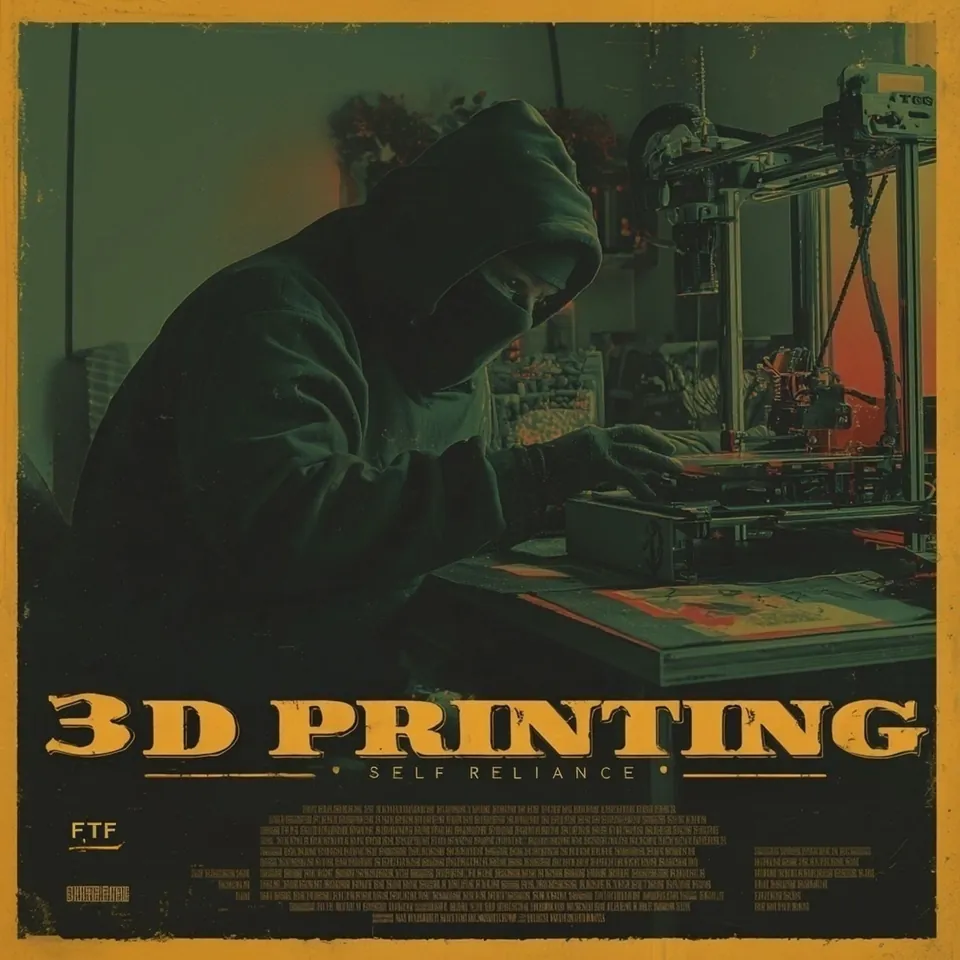
Yep. Well, thanks for stealing my thunder there, Max. We Right. This week, we're diving into one of the the more practical corners of FreedomTech, three d printing. Thanks, Max. We're gonna keep this one focused as much as we can towards the beginner end of the spectrum.
If you've ever owned a three d printer or bought one that's been collecting dust, I can literally see mine collecting dust right in front of me right now, then this episode is gonna be a good one for you. Joining us today are friends of the show, Gabriel Custodia and Urban Hacker from Watchman Privacy,
who many in the freedom tech and privacy communities will be well acquainted with for their excellent advice and podcasts on practical tools, privacy focused workflows, and helping people think more clearly about general opsec in the real world.
Gentlemen, welcome to Freedom Tech Friday. It's a pleasure to have you on. How are both getting on? I'm doing well. Hope you guys are. Glad to be here. I'm sure I know we're in similar Venn diagrams. I'm sure I know some of your audience and vice versa. So glad to be here.
Yeah. Same. Very happy, and I'm sure it's going to be a very interesting episode. And three d printing is one of the most important tech out there for regaining freedom, so we shall see. Very good. Yeah. Well, nice to have you both back on. And, yeah, it's a good one for me. Like, I'm this is something I've been interested in for ages,
and I've never actually pushed the button and ordered one and let it gather dust. But I really like the more I think about it, the more I want one, and, I want you two to push me over and make me buy one today. So for someone who hasn't ever done it before, why should they care?
Why should they be thinking about buying one of these things and using them? Well, I would say, first of all, it's never too late to start procrastinating with Freedom Tech. So you may as well start that today because that's a long lifetime process that you can certainly cultivate, and there's nothing quite like cultivating. Do it later.
But look. I mean, three d printing is I I was the guy who when we made a course on three d printing recently, I was I was that guy who was like, you know, what's
how valuable really is this? How difficult is it to get into all this kind of stuff? And when I started doing it, I thought it was quite interesting. Now is it a silver bullet or anything like this? Really depends on a number of things, including your skill level,
your time, how far you're willing to go. But I think it's it's a good technology for everybody to get into. These days, the printers are really good for the amount of money that you pay for them, and you can really quickly use it to make some pretty cool objects.
You know, you don't have a tool around the house. Just print one in a in a pretty efficient way. And then, obviously, there's all sorts of other interesting things that one can make with a three d printer.
But it is really a way of circumventing some of the reliance that you might have on, you know, supply chains, stores. Maybe there's a thing or two that, you know, you prefer to make to your own specifications or that only you are aware of that you're making it.
It's it can definitely serve that purpose in addition to just being
very entertaining and a fantastic way to make some toys for your kids or, you know, a gift for somebody or things of this sort. So once you get into it this is what I found is once you get into it, once you actually buy some buy one, start making a few things, you'll very quickly see yourself what the limitations are,
what the capabilities are, and you will very quickly determine what you will be using it for in your own life. So I think everybody should take that first step. Not that costly, the one that we're gonna recommend in this episode, you know, around $300, and you get a pretty cool K.
All in one manufacturing tool that a hundred and fifty years ago, you would, know, you need an entire warehouse in Victorian England to be able to do this kind of stuff. So Yeah. That's pretty cool. For you know, like, some of the stuff you see
is, like, toys and trinkets and stuff where I'm like, well, I've got no interest in that. But when you talk about, like, tools or parts or things like that, it can pay for itself pretty quickly, I'd imagine. And then on top of that, like, if you have supply chain issues or any disruptions in the world, which I think many of us think
might get worse over time, then something like this suddenly becomes invaluable even if it is sort of like gathering dust in your garage. It's suddenly you need it when you need it kind of thing. So the choosing of this printer, you were saying $300.
Is it just price point, or are there other factors that go into this choice for you? Obviously, many factors go into it. I'll just say that the the one that we've been recommending for the beginner, okay, for the beginner who doesn't have super elaborate needs is the Elugu Centauri carbon.
So that's around $300. I believe in Europe, it can be closer to 400, and it's less available in Europe. But the Elugu Centauri Carbon is one that I tested extensively recently, and it checks a lot of the checkboxes. So what are the checkboxes? I mean,
first of all, there's the the price points. Some people, especially in the open source community, will talk about the Prusa printers. Those are great options for sure. These are great open source printers.
The company has been very supportive of Freedom Tech and open sourcedness in the industry. And but at that point, you're spending a thousand plus for one of those. And I think this Centauri Carbon can do similar things for a similar price point.
It's mostly open source. There's some some debates about various things, but it's mostly open source. They've been supportive of you using whatever slicer you want. So this is another important thing. You have the machine, but then you need the software to be able to process the files.
And that's a whole other question about privacy and open source in this. And so you want to have a printer that is respecting of you being able to use whatever software you want. That is a big thing. And I think the the big adversary
that we could say here is the bamboo printers, and this will be a touchstone in this conversation because these bamboo printers, which if you look into three d printing at all, and that's b a m b u, they are kind of the the opposite of everything we're talking about here. They are very strict about you using their software, and
they're somewhat strict about you having to be online. I believe they're closed source and all these sorts of things and all the dangers that come along with that privacy loss, reliance on a centralized
company that can shut off your abilities and access at any given point in time. All those sorts of things are not what we want Even if the bamboo printers are, in my understanding, very efficient and can do all sorts of things and can do it very quickly,
speed is not necessarily what we're going for here. If you had some kind of very innocent empire printing some cheap stuff that you're selling on Etsy, maybe the Bamboo printer is the route to take. But in general, for us Freedom Tech people,
we want a device that has as much open source firmware as we can get that allows us to use the software, the slicer software of our choosing Mhmm. And is generally a company that is not saying things, for example, like FlashForge, where they're tweeting out things like, we don't want anybody three d printing guns.
And if we see that, you know, we're gonna shut you down, which FlashForge, the company, literally did. So you want a company with some balls, obviously, or at least not saying stuff like that.
So those those are a few of the things that you're looking for. Obviously, you want to be able to use a printer that works completely offline. That's how I would prefer to use these things.
I've been using the Elegoo Centauri Carbon offline. No problems. Take the old USB stick,
put it in the computer, get my file, put it into the machine. It's never connected to the Internet. I guess you could do that initially to update the firmware, but you don't even have to do that. So those are a few of the things that you're looking for, in a three d printer.
We could, of course, talk about what you're getting when you pay more money, more reliability, maybe a slightly quicker prints, things of this sort. But, yeah, that's that's at least, some starting thoughts on that.
A quick question for you there. You mentioned this that this,
this company talked about shutting down people who printed things that that they didn't like. What's the, like, the actual possibility of that? Like, when I think of a three d printer, I don't think of it as something that once I have it in my hand, can be easily shut down or censored.
But is that a a common concern for some of these printers that they require being always online and do some sort of, a a d DRM check, for lack of a better term, or is that a a rarity that a printer that someone would normally get would have that kind of control available to the manufacturer?
Yeah. It's it's a very good question that you ask. So, I mean, this this technology is is very new still. And to be to be fair, we we don't really know. I mean, the the censorship is is thankfully not going so quick right now, but we can do a few assumption. One is, well, hardware is becoming just more powerful overall. You know?
Some of those three d printer will do a preview of the three d object. So they need a tiny GPU somewhere in there to visualize the object you wanna print, which can be surprisingly powerful, you know, with embedded GPUs and and things of that nature.
But if you think about it, the easiest is just to do it on the cloud. Right? So and and we see this more and more. There are two main vectors that could be used. One is if the machine is always online, well, it could send a copy of everything you print to a server and then check against the database of, like, known objects
and then, you know, shut down your account or something like this. Another way is the slicer. So when you download the three d object, you then slice it. And many of those three d printer require you to have appropriate nonopen source slicer.
And a lot of them also require you to be logged in. So that is also a way, like, a vector for those things. It is not trivial. And, ultimately, I don't think it's possible to prevent you from printing. I mean, there are endless things you could do, and it's a censorship problem. And we know that absolute censorship is impossible.
From the moment you allow someone to print something, they can always find a way. But it's just the landscape that is terrifying that now, you know, you get dictated what you can write on your Word document. You get told what you can and cannot print
and what you can and cannot do with your money, and it's it's just a trend. But, yeah, the easiest would be the slicer or inside a cloud to do it, which, by the way, requires massive resources to detect those object and to sensor them.
Yeah. That makes sense. I I liked what Gabriel was saying about using it offline, like, air gapped mode, kind of, so you don't have to be concerned or as concerned about these sort of problems because where I see something like this really becoming useful is if things get a bit more crazy in the world, and
you suddenly need to create things that help you survive. And you don't want the last thing you want is to sort of, like, put a target on your back or have logging of what you're doing or anything like that. So that seems to be, like, to me, at least, the obvious way to do it. But then I guess there's probably a trade off in terms of
tooling, and I assume people are using AI to help them create things and use what's it called? Like, CAD and these kind of things to to draw things up and design things. So does that then limit you, or can you still create something in, a I guess you could still do that offline. You just have to have it running on your own hardware.
I'll Yes. I'll Go ahead. I'll jump in quickly. I'm sure you got something to say on this too, Urban, and say, I find the amount of connectivity that people do in general with their devices to be much more than is really necessary.
I don't quite see the convenience when people are connecting here and connecting there. I'm perfectly fine with most of my things being air gapped, being offline. Sure. There's just more inconvenience. Don't get some of the features. I have to feed it manually to my printer, these sorts of things.
But I really think we should go back to that as a default and see how far that can get us and only after that connect. And I think way too many people rely on some of the interconnectivity when they don't need to.
Yes. Good point. Yeah. I I mean, there are So, of course, you lose you lose some some of it, but that is correct, Max. I mean, the CADs the CAD software could also censor you. Right? It could also potentially run. And if you you run it in the cloud,
then you don't really own it. Right? You don't really have control over it. And in your scenario, you know, if you have the grid that's shut down or, hey, your Internet access is shut down because, you know, some social credit score or something like this, then you would lose access to this.
They are open source tool. I mean, the you can do a full three d print pipeline with almost exclusively open source software. And there is one that is kind of, like, repurposed that is not really for CAD, but it's called Blender.
And it comes from the movie industry and the three d world, not really from the engineering. But there are so many people who use it for three d printing that it now has a series of tools just like a CAD software that you can use.
It is a bit of, you know, trying to to fit a a round a peg into a square hole, but it does work and it is open source and you can run it offline. What is tricky is, you know, at every of those steps, you could make that one mistake that, you know, would compromise you.
There is also another aspect of three d printer, which we don't really discuss. We discuss actually this more with normal printer, but many of them have, like, a hard drive where well, more like a SSD to store your prints.
And that could also be a problem, right, if you get it stolen or something like this. Mhmm. If you have an unwanted people coming in your home, that could also be a problem potentially. And one easy example, right, we don't even have to go into note taking is I know a company that lost theirs, and they had, you know, patented
three d object in there that, you know, can have, like, quite some consequence for their their shareholders and their the the value that they have of those patents. So it it can have all sorts of interesting implication. And normal printer have this too, by the way. They also save most of the print you do.
That is also a problem in in normal, like, printing. Mhmm. Let's take a step back because we're getting into the weeds a little bit. I just want to maybe cover you've mentioned one printer, which which you recommend, and then a second one that was slightly more expensive.
Is there, like, top three levels of, like, money's no object, just want the absolute best, want something that's, like, middle of road reliable, or one that will, like, work occasionally
for someone to think about if they're gonna be buying one of these things and really considering playing around with it. Like, you know, because all also the other thing is the reliability.
Like, is there, like, a Toyota of the three d printing world and then some of these things with more features and all the clever stuff is more of a and it's just gonna fucking cause you headaches.
Yeah. So there is no Toyota simply because these haven't been around long enough to really test reliability. The reason I tend to recommend people get into this $300 price range is because that'll get you a really good three d printer these days.
And most people don't understand how valuable these tools are or not valuable until they start doing it. And so, yeah, if you were if money was no object, I'd typically send people, go get you a Prusa printer, one of the high level Prusa printers. Great company, great values, great product.
But if you're just starting, why not spend a lot less money, significantly less money? Test it out, see how it goes. If you don't like it, if you wanna upgrade, you can always sell that. You can always give that to a friend. Whatever the case may be, it's not that much money invested.
So that's why I typically recommend people to that price range. And they'll pretty quickly determine, you know, if they really want the the better one at that point in time. I will say though on this topic that choosing the cheapest option is not a good idea, and I'll tell a quick story about that. So the
one of the most popular three d printers of all time, this is the Creality Ender three. This came out in 2018. It has, like, 25,000 reviews on Amazon. It's one of those. Right? So I thought, hey. This is a $180.
Let me check this one. This is the popular one. This is what a lot of people have recommended over the years. So I get this. Okay? And I have to assemble it myself, which, you know, not the end of the world, but it's not like assembling a a bookcase from IKEA. Right? If you mess up, if something's a little bit off,
that will cause the whole thing not to function. We're talking about very complicated machinery that is moving very quickly, and any error can compound very quickly. So sure enough, there was some small problem with my assembly of this, and it just wasn't working.
I eventually gave it to a person who was a tinkerer, and, of course, he got it up and running in no time. But, you know, I was thinking for the the masses. This is, you know it it wasn't just the the problem of assembling it. So when I went to print, it just wouldn't print. And I checked the firmware. Sure enough, it was 1.001,
which my AI said, you know, said it was ancient, which that's fair. And in fact, it was so ancient that it didn't even have some of the security features that three d printers have now. So it was one of these printers that could theoretically have kept going and burned my house down.
So in order to update the firmware, I'm checking the website. They block VPNs. Okay. I'm going through Tor. I end up on this Google Drive for firmware, and I can't figure out which is the right one. When I finally do, apparently, I need a specialized piece of equipment to update the firmware. I can't just do it with a Micro SD.
I need a, you know, a separate tool. And in fact, it seems like I also have to replace the motherboard entirely if I want to update the firmware. So going with the cheap option, especially something from 2018,
not a great idea. I wouldn't recommend any people look at the first or second generation of three d printers. Go ahead and skip to, like, 2025 because they're so much better now. The Elugu Centauri printer I got, there was no I was actually surprised. Like, there's no assembly,
basically. Unscrew three screws. It does auto leveling. This is another thing you'll come across with three d printers. The bed has to be perfect level for the layers to cohere correctly.
And for you to have auto leveling, that's amazing. It's it's also has an enclosure, the one that I'm talking about. So it's it's basically the difference, the 2018 printer to the Elegoo Centauri. It's basically the difference between the Jurassic era and the Victorian period in terms of technology.
So, yeah, don't even look at some of those super cheap early ones. Not worth your time at all. Pay a $120 more, and you are you are back into modernity. And so go on, Durban. This basic printer is equivalent to one. We tried one at a company that does three d print professionally,
and we found it roughly equivalent to one that is, like, five years old that cost 2,000. So just to give you an idea. Now the one with 2,000 had a bit more functionality, a bit more things. But, like, for a beginner, this was more or less the same.
Very cool. And do you see that continuing? Do you see, I guess, like, phones and any other tech? I assume it's just gonna get cheaper and better quickly.
Yeah. I mean, we we already see, like, toys that you can buy, you know, for children where they have, like, five models you can print, and then with your phone, you can upload a few orders or pay.
Mhmm. This thing is rapidly democratizing. There is one thing that more money will buy you is a bigger print space. That is the one big differentiator. Right? So the professional that cost 2,000, you know, five years ago has a very big enclosure, which mean if you have a big object, you can do it in one or maybe two times.
While a modern one that is 300, you might need to, you know, cut it, and then it's a bit of work. But to start, it's it's perfectly fine. And what sort of things would you know, and most normie types people, let's say they have it in their garage, what are the things that people are finding the most useful,
like, you know, tooling or parts or things that I can sort of imagine just having one in your house, you start to especially if you're a tinkerer or a DIY person, you you start to lean on quite heavily. Can you give, like, some ideas for people listening what kind of things they might wanna print?
Yeah. So there's a few websites out there. You know, obviously, the audience here is listening. It privacy conscious use a VPN at all times. I mean, why wouldn't you? Printables, for example, I'm looking at printables.com.
And instantly, you have thousands of people who have created a variety of models, you know, Xbox controller holders so that you can rest your Xbox controller on there, headphone holders. You have various tools of all sorts. I think just going down there and and scrolling
in some of the categories for a few seconds, you'll find something that you wanna try whether for fun or for utility. I printed some clamps that were useful for something I was doing. I actually printed some improvements for the Elegoo Centauri
to collect some of the, you know, rubbish that it's spewing out and other sorts of things. So a quick scan down some of these websites you'll be printing for a few weeks quite quite happily some of these things
and see what other people have designed because that is that is a thing, which is that you have the printer, but then there's the whole design aspect of it. And
designing a good object is an art in of itself. That is a whole other sort of thing. But to piggyback off of what other people have done, that's where most people are gonna start, and that's obviously very useful. Not all objects are created equal.
You'll see some of these people just create some trash and and put it up here because they think it looks cool. So what you're looking for when you go to a website like this is you're looking for real photos, somebody who has actually printed this. This is not just some theoretical thing, but they've actually printed it.
Maybe some reviews, some comments with some of the settings that you might want to use. That is indication that this is a a good object because
there are a lot of objects out there. People who just think it looks cool, but in reality, it's doesn't really work with a three d printer. And when you think about a three d printer, the way it works is it's basically creating layer after layer, one on top of the other of plastic
until it, you know, until it completes. There are some limitations, some physical limitations to that. One of them, for example, is something called islands where if you think about, like, an arch,
like, for example, a a bird with a beak. Right? You have the beak that is lower than the other part of the body. So if you're printing in layers, horizontal layers, well, the beak is going to it's it's it's time to do that particular plastic,
but it's not connected to anything. It's just sitting out in the air. So that's what you call an island in three d printing. So that's not a principal object without taking some, you know, other things into consideration. You can have pillars that are starting from the ground up, and the pillar is supporting
the island. So there's a lot of little things that you realize when you look into the physics of three d printing that just don't work in in practicality.
But starting website like Printables, there's some others out there that we could talk about, but also just a quick search will get you there. You'll, you know, you'll learn you'll certainly cut your teeth very quickly by printing some of these things, see what works, see what doesn't, see what colors you like,
see what kind of settings, especially in your slicer that you need to be modifying, see how thick you want the object because all these objects are hollow, essentially. So there's a question of do I want, like, 5% hollowness or 50% hollowness? Depends what you're printing. Can you know, you don't always need it to be super dense inside.
So there's a lot of little variables, but starting starting with principles, printing a few of these things that stick out to you, You know, you're scrolling there. There's a number of useful objects that I'm sure people will find.
That's where you get started. That's how you get going. Yeah. Sort of endless stuff there. The the island point you're making is interesting. I wonder whether you'd be able to answer this, I'm sure, like, whether something like a CNC machine alongside a three d printer could be useful
for certain things where you need more rigidity or you need to create something that the three d printer can't, do those two kind of go in tandem, or is that where, like, a a three d metal printer comes in, but presumably, they're gonna be horrifically expensive and sort of beyond what normal people are gonna be buying.
Yeah. This this is a good question. No. I think a three d printer can stand on its own. It it's quite an amazing object, all things considered. You don't necessarily need a CNC unless you need something that is extremely robust. And and then, you know, you might as well, you know, just ask a manufacturing company to make the
the pieces for you. But, also, just CNC machine, this this can be nasty in your home. You know? It will create, like, dust of metal particles and all sorts of like, it it is And the bits can fly off and take an eye out or whatever. Yeah. Yeah. Exactly.
So it is not just a simple thing. But the the slicer, so the the thing that will take your object and divide it in layers, it can detect what Gabriel mentioned, those island and those overhanging parts and the holes and and all those things.
And then it will suggest options. And then this is where you have to be a bit of an artist, and you actually have to print, print, print because you will then have a sense of when it's needed and not.
And if the object was designed for three d printing, usually, it comes with instruction on how you do it, and then it's very easy. And you could do for reinforcement of three d printing parts, sometime what people do is they have, like, a very long screw that, like, you literally screw a metal screw inside.
And then, like, there is holes that are preplaced, and then you just screw them.
And this can add this can help with the rigidity where the screw is not just to tie two pieces together, but also as a What about resins? Sorry to cut you off, though. I'm just wondering, like, if if you have a hollow object, could you not pierce it and then use, like, epoxy resins or things like that to fill? Yeah.
So we we talk only about filaments, but there is also laser deposit where you have, like, a bath of resin, and then the laser laser will harden the the the piece, and it goes out of a bath. And because it's inside liquid, you can create literally any shapes.
But also with filament, what you can do is you can make destructible support that you either have to remove them yourself with, like, a pair a pair of pliers or something, or you can also print with two material, and one of them you can dissolve in water or in a in a special solvent.
And then you print, like, the normal object in one plastic and then the support in another plastic, and then you put it in a special bath, and it will remove the support automatically. So there are there are many, many ways. You do not need a CNC. You can do pretty much any object. I mean, you can also cut them in half,
print, then glue them. Mhmm. There are, like, endless of options you can use. That's cool. And so someone is starting and they wanna do their first prints. What kind of tools are they gonna need outside of obviously, they need the printer.
They need the PLA or whatever it is they're using to do the print. Is they need the what do you call it? The software that interacts with it? How do how do I name? Right. Yeah. The the the slicer. Yeah. The slicer. That's that's the software. It's called the slicer.
And for we show off in our tutorial using a software called Cura, and this is a good option. And we can use it offline, and we can we can do everything we need. And at the point that you need more, well, then you can get something else. But you have your machine. You download Cura onto your Linux distribution, obviously.
And then you need to find an object on printables, put it into your slicer. It's going to make it you know, give it all the instructions that it will need for the printer. And then you save it onto your USB, put it onto the printer, and do some excuse me.
Do some auto leveling for the printer, and, basically, you're you're ready to go. You do need the PLA filament. Right? The filament is the, basically, the spool of plastic that you will feed to the printer.
You will need that. I recommend people just start with the higher quality filament at the beginning. So if you're troubleshooting,
you know that you don't have bad quality filament. I haven't really had a problem with bad quality filament, but Prusa also makes their own filament. It's more expensive, but I'd recommend people just start with that. So, yeah, you get your filament, feed it into the machine that you have fed your design that Cura
has made for you, and you're really off to the races. You don't really need too much else in terms of cleaning up and all the rest, a combination of sandpaper, pliers, things of this sort. You'll you'll find quickly what's
what's best for you. There's there's a variety of ways to clean these up, but I don't do too much cleaning up. I'm I'm in this mostly for utility. So, yeah, basically, at that point, you have everything you need to to do some prints.
And you were saying about, like, cleaning up. Is that just the filament gets stuck somewhere, and then that would mean that the next print then has, like, residue from that, then wouldn't be a clean print. Is that what you mean?
Yeah. The it's it's a it's a process three d printing, it's a process of just putting so many layers in so many places that sometimes you'll get all these extra little strands here and there, and it might have at the very bottom where it's touching the base, it can tend to be rough.
If you're using supports and supports are used in an object where you want to literally build a pillar of plastic from the bottom of the the the base layer all the way up to a particular weak part of the object. Mhmm. You might have to remove those and that can leave a little bit of a,
you know, some scuffs and such. So that's what we talk about when we talk about cleaning up. A good three d prints will be designed with all these things in mind. It won't necessarily require supports.
I'd I've encountered a number of good designs like that that don't really require a lot of these things. It's taking into account all the good physical limitations of the three d printer. So that's just a nice clean object at the end.
Max, just one thing. You mentioned about cleaning the printer. It's obvious that the printer should always be pristine. Any object inside any tiny amount of filament that from the previous one might seriously mess up. So but I think it's logical, but just like to clarify.
Thank you. Yeah. I'll I'm gonna jump in here. I've played around with three d printing on and off for the couple of years, and, basically, not much recently. I actually have the the machine that Gabriel said not to buy, although I did buy it, like, three or four years ago when it was highly recommended at the time, the '3.
Great beginner machine for for somebody like me who, you know, is is okay with tinkering about. Echo all of your thoughts around like building it yourself and having some headaches with leveling a bed and getting the setup right.
In fairness, when I was using it regularly, once that setup was done, it wasn't too bad. But there's two things I wanna kind of get your guys' experience on is you mentioned around a few a few comments around, like, you said infill, supports, rafts, density, and all that sort of stuff, which in my experience is something that you learn
to get a feel for what's required. And I know some of the software can give recommendations,
but like, do you have any like quick tips or like a cheat sheet for for a beginner getting in? Because I know when I was getting started, all of those terminologies when I was looking in Qura thinking, I have no idea what I need to be setting here because there is literally hundreds of different settings that you can tweak.
Like, what what would you what advice would you give to somebody who's just entering the space to to dip their toes in here to be like, here's what you need to worry about. The rest is just noise and you'll pick it up as you go along.
Yeah. There's a there's a few main settings that I would hit here. So one of them, as you mentioned, is there is a a layer underneath your object that you can choose to have or not. A raft is is one of them.
In general, go ahead and just start off by using one of those. You have raft. You have a variety of other versions of that, but that just gives you a layer underneath your object, and you'll have to remove that at the end. But that gives it a little bit more support.
Another big setting is infill. This is a term you'll hear hear a lot. Basically, all of these objects are hollow. I mean, you can have a 100% filled object, but these plastic objects are not, you know, fully dense. They're hollow. And, obviously, because that saves time and that saves material. If you want to do a 100% infill
of an object, it could be the difference between five hours and five days, right, for example. So all of these are hollow to some extent. I think that's, like, around 15% infill is is a good starting point in in most cases, maybe up to 20%.
A lot of people either do too much infill. That's typically what I see as the problem because, oh, you know, I need this to be super strong. It's like, well, you know, but not really. Right? Like, 15% is pretty good. What infill does is it creates this design within the object
where it's basically you know, you can do, a grid system so that when the object's printing, you'll see your little statue or whatever. You look inside. It's like a grid that's forming inside to give it structural stability.
It's kinda cool. And so, you know, the the higher the infill, the more grid there will be to the point of a 100% where it's just entire entire plastic in there. But I would start on the lower end, honestly, with Enfilm, maybe, like, 15% or so. Most people do a little bit too much
is is what I notice when they don't need to. We talked about also I would say another problem that people might have is they go a little bit too fast. So you can there's a number of settings that you can set to go a little bit faster with your prints. Unfortunately, what happens is
you go through the first eight hours of your prints, and then because it's going too fast, that last little part might mess up, and now you have a bad object. So in general, you probably want to end up a little bit on the slower ends
so that you at least have a completed object that you don't have to redo and and waste eight hours of your time. Do you have any more thoughts on that, Urban, some of the basic settings for people getting into it?
Yeah. So my my recommendation would be that your slicer and with one of the newer model, they usually have, like, predefined settings and use those. Do not go in advance. Print. If it doesn't work, then start tinkering.
Everything you said, Gabriel, is is otherwise good advice. But, like, start with one thing and and just explore from there. There is also, like, other things that can apply, like, depending on which type of filament you have. You might need special things.
But the best way is if you start with the default, you learn how the default behave. And then slowly, if you see problems, then you're gonna learn, okay. Now I need a bit more of this or or less than that. But I found that the newer slicing model slicing slicer, sorry, they hide a lot of this complexity by default, and I think it's good
because it's the default should be should be generally enough for starter. Yeah. Good call outs. The the second thing I wanted to follow-up with was my three d printing journey is probably fairly typical. Typical.
You know, I get excited. I go into principles or any of the other ones and download all of the things and my printer's running twenty four seven for like three months back to back. And I end up with loads of plastic stuff that I don't really need, but I think it's cool because I they,
you know, came out of nowhere essentially and I made them myself in air quotes. After that and that after the initial craze was over, I I found myself butting up against my knowledge or my skill limits in terms of if I couldn't find something perfectly
suited for my use case, I didn't have the the technical chops or design chops to be able to create something truly from scratch and design it in some CAD software. I'm sure that the newer printers and with AI assistants, that's probably gotten a lot easier.
But for somebody like me in that position, like, where where's the next natural steps? Like, give you an example. Let's say I need a hook for us, for one of my doors that's a specific width. It's nonstandard. Like, I would need to design that myself, and I have no idea where I would even get started.
Yeah. I mean, welcome in the incredible world of mechanical engineering. That is not trivial. That that is, like, entire studies. And, I mean, there is not at some point, you have to take, you know, a ruler, calipers, and a compass, and then you have to figure out how they designed the original
part, and then you have to do it. I tried a a bit with AI. AI is good if you want, I don't know, like, a superhero figurine and, you know, you took a picture of your painting that you did and you want to three d print, like, in two d or something like this with parallax effect. But
when it comes to an actual object that needs to behave in a certain way, I think there is it's just like there now people do not grasp how lucky they are. You can go in YouTube
right now, type introduction to mechanic mechanical engineering for three d printing, and you're gonna have all sorts of tutorials and things how to use a CAD software. So you do not need, you know, expensive study to go to university to know.
But I've done a few objects like this from scratch. I've done a door handle because when I was in a very, very, you know, badly maintained flat and a rented flat. And then when I came, the the door handle broke.
And when I got the quote from the landlord, it it was insanely expensive, so a three d printed one. But I had no other choice than taking the part that was broken, do all the measurements, do it in Blender because I don't have, you know, the money to buy one of those expensive CAD software and then three d print.
And to this day, I think it's still use I mean, I I I moved out, but I think it it should be still still in place. So you can absolutely do it. And by the way, this can reimburse your printer quite easily, like, depending on the object
that that you have to do. Another cool thing is if your thing is from a big let's say, for instance, you have a lot of furniture from, like, a big Swedish furniture company, There are entire forums that have, like, premade objects.
But then there is also the problem of copyright where sometimes those websites are shut down and things like this. But if it's something that is common enough, like, my my vacuum cleaner, I have, like, an industrial vacuum cleaner that is very powerful.
And all their accessory are very expensive, or you can design them and three d print them, or maybe someone has done it for you. And you can just, you know, three d print them. Now they won't be as solid, but, you know, if if you don't need the heavy duty, then it's it's more than enough. Right?
So I'll just add a couple things. Yeah. I mean, at the end of the day, you do want to be a designer,
and that's a skill that can pay off. Or you have a friend or you're in a community that has a designer and you pay them or whatever the case may be, or you become very good at your web searching and you get off of some of these websites like Printables and, you know, find some of these other websites where there's
a bigger variety of objects where you'll have to obviously vet the website, etcetera, etcetera. As Urban said, some of these get shut down, but, you know, you'll just have to become a little bit more creative and opportunistic if you want to go beyond the initial boundaries as as q and a was saying of the basic three d printing mindset.
We we had a question come in from Filthy Fiat Wallet, and they've asked, have you had success printing with nine nylon filament?
I'll say initially, I'll I'll let Urban answer that. And then just say initially, we're big fans of PLA, especially for people starting just because this is really low toxicity to the point where you could consider having this in your house.
This is very awesome plastic. This is what a lot of the printers are using by default, what they're designed for. So PLA is absolutely where I think most people should start. And, honestly, just keep using until it's not working for you. But, Erwin, do you wanna comment on nylon?
No. I I really never used I I mostly use PLA because, honestly, it just works. You know? It's like, oh, but PLA can is you know, can degrade the nature. I have my whole hydroponic system that is three d printed in PLA.
It's been more than five years since since it's I've done that, and none of the none of the piece that, you know, have broken significantly or or any of this even though they are constantly in the rain and the, you know, soaked in water. So PLA is great. Now, of course, there are, like, edgy cases where you won't
you you know, there are there are tons of material. There are, like, soft material that you can do squishy things, and you can do a a lot of things. But stick with PLA, master PLA, and then move to to something else. Personally, I've never printed other than PLA.
So I With Also, an another thing is, just to finish, lots of those material have higher temperature, and this mean it's also more dangerous. It's also hotter, and it can also, you know, go wrong more easily.
Toxicity as well. Yep. A question on PLA. Is there a point where three d printing because I don't know the cost of this stuff. Is there a point where certain items are just cheaper to go and buy than printing yourself because
they're done at bigger scale or they use different materials or something like that. When you're talking about, like, hydroponics and things, I just wonder, like, if things are built at scale, is it ever cheaper? Or is PLA just so cheap that almost don't have to think about it?
So it's a very good question. Here is how how you could see it. One is if you have the model, then replicating it is like you know, it's just you click print and it just print. And and that's it.
Especially for tiny things, that's very good. Or custom fitting. You know, you have, like, two tubes that don't quite fit together, and you're not so sure how to you know, you could quickly make a custom print.
Mhmm. But to answer your question, the way I see it is if you are interested into learning how to use a printer, then it might be slightly more expensive to do, but you're going to keep your skills of three d printing sharp.
And between, you know, getting your stuff from halfway the world that is, you know, produced in not so good condition or learning to do it yourself, that is like, but but it's like everything. You know? There there are people who make their own build their own computer and orders to just buy it.
Mhmm. It it's really up to you. But the way I see it is that keeps you sharp and that keeps you aware of all the intricacies that if you need to print more complicated things, then, you know, you you have the experience.
Yes. Good point. I'll just add to that and and bring us a little bit back to the sane fiat mindset because I'm looking here at one of the many great subreddits of three d printing. This one's just three d printing.
And this guy says, I spent a week three d printing cable channels for my desk. And he shows this fantastic little image. All these, you know, all these cables are perfectly encapsulated by these, you know, plastic containers.
And I'm just like, yeah, but, you know, China specializes in that kind of stuff. And they can throw all sorts of young, agile bodies at these sorts of problems, and they can produce that in, like, ten seconds, whereas you spent one week. And you could just buy that on Amazon for a lot more cheaply.
Not to say that we should take that route as humanity, but just to say that sometimes you get really into this stuff and then you step back and say, oh, yeah. But that's, like, $3 on this shop over here. So, you know, also worth considering.
There is also another thing. If you value beauty, you can also create, like, all your tiny plastic box that look like intricate Victorian object, if that's what you like, or or cyberpunk.
So you can also customize. You can also combine the two. Right? You could also make, like, a custom beautiful looking thing and then buy some box on AliExpress and glue one on top of the other and make it personal.
I mean, it's up to you. What? Urban, you'll obviously know about this from the discussions we've had offline. Like, when you're doing artwork and creating things, if you have PLA as the as the base for it, can you easily paint it without having issues?
Is it, like, easily sandable? Like, how much can you manipulate this stuff and work with it as a base to make something beautiful? Because when you say the word beautiful before three d printing, when I think of three d printing, most of the stuff I see is fuck ugly.
And maybe I've just been looking at the wrong stuff, but the way that it's printed, the the colors that's normally in these spools, the kind of layering, everything just looks quite shit.
Yeah. You're you're absolutely right. Yeah. So
it is it is a plastic, and plastic can be challenging to paint. And, you know, sometimes the paint just make a coating, and then you can just scratch it up with your Mhmm. Your nails or or something.
There are specialized paints. Usually, you need a primer to kind of, like, you know, allow the the paint to go on top of it. I had some challenges where the paint just wouldn't stick. Sending it help because then it make it porous, and then the paint can penetrate easily.
There is, like, all sorts of stuff. I think the reason why you see this is because most people, they just like, they have the printer, and they don't necessarily have the need or the skills to go further, but you can make absolutely gorgeous and and beautiful things with three d printing.
It is just a matter of, you know, I for instance, I I have roles in sand and and desert with, like, matte finish so that Mhmm. The object is already good enough and almost like a stone. And then you can send it, apply some special coating.
This is where ABS is a bit nice because you can use some solvent to dissolve the outer layers, and then it will fuse all the things together, and then it it looks, like, shiny and and and beautiful.
So it it really depends. But you you can do it I mean, you can do very, very nice looking and very good thing. They are in the movie, I think, Blade Runner. They use three d printing to make, like, the city that you see. Like, the city is actually a real city.
And I think they use three d print to to make those, and nobody would say they they might look gritty and grungy and cyberpunk, but they are not ugly. So you can absolutely make incredible things with it. Interesting.
Would just say on the topic of beauty, which is probably not something I should be discussing since I'm not the artist. And and and we're talking about the the latest Blade Runner, of course.
But if you are interested in in doing this for beauty, that's when you might want to get into something like the resin three d printing, which is a different process. It's toxic. You gotta, you know, start venting and and considering all these other things.
But the the resin models are quite quite nice. They have the smooth edges. That's the thing about printing with PLA. And really even a good printer is you'll get the object and at the end, you look at it, you look closely and you're like, is that it? Is
that is that the best this can do? And in a certain sense, it's yes. And, yeah, you can touch it up as as you guys were discussing, But it is much more for practicality. At least, I use it a lot more for practicality. I don't have an eye for that stuff. And if you do want the artistic stuff, that's a a different process,
entirely a different substance or a different completion finishing process. Interesting. Okay. You you know I'll be reaching out personally about some of the art stuff, Urban, because that does particularly interest me. We are
getting up to time now. We do have a hard stop in a couple of minutes. So I wanted to make sure that you guys can signpost people to some of your tutorials and podcasts and the things that you're doing before we close out.
Yeah. I'll just have people, yeah, I'll just have people follow Watchman Privacy on their podcast player, YouTube, Twitter, Watchman Privacy, Urban is Real Urban Hacker on Twitter. You follow us, you'll you'll be aware of everything we're doing. Our website is escapethetechnocracy.com.
We have an entire three d printed printing course on there. If you guys wanna check it out, we accept Bitcoin.
Monero, of course. So, yeah, that's what I would say. Perfect. Well, thanks so much for coming on, guys. Appreciate it. I will be reaching out. Unless Seth or Q, you have any other questions, I think we close it out there. Yeah. No. This is brilliant. Thanks for stopping by, guys. Definitely learned a lot.
You've inspired me to to fire up the ender again. Alright. Just don't burn the the house down. I'll do my best. Awesome. Thanks very much, guys. Well, thanks for everybody for tuning in. We'll catch you all at the exact same time next week.
Thank you for listening to Freedom Tech Friday. To everyone who boosted, asked questions, and participated in the show, we appreciate you all. Make sure to join us next week on Friday at 9AM EST and 2PM London.
Thanks to Seth, Max, and q for keeping it ungovernable. And thank you to Cake Wallet Foundation and my Nim Box for keeping the Ungovernable Misfits going. Make sure to check out ungovernablemisfits.com to see mister Crown's incredible skills and artwork.
Listen to the other shows in the feed to hear Kareem's world class editing skills. Thanks to expatriotic for keeping us up to date with Boost's XMR chats and sending in topics. John, great name and great guy, never change and never stop keeping us up to date with mining news or
continuing to grow the Mestadel. Finally, a big thanks to the unsung hero, our Canadian overlord Jordan, for trying to keep the ungovernable in check and for the endless work he puts in behind the scenes.
We love you all. Stay ungovernable.
Machine transcript; expect the odd mishearing. Click a passage to play from there.